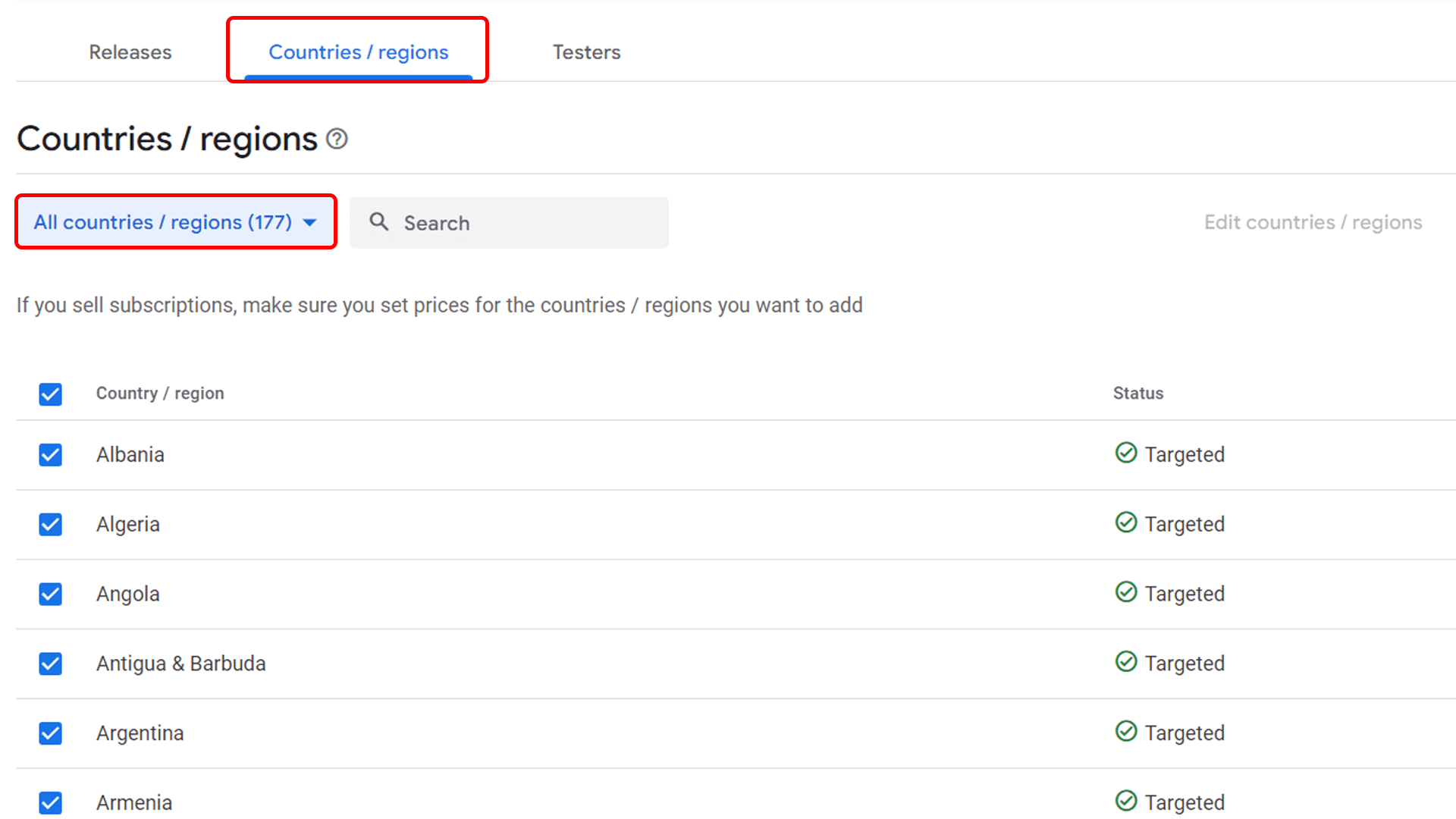
Select all countries
In Google Play Console, open Countries/Regions, select All countries (recommended), and save the change.
This keeps the closed test available for «12testers» testers in different regions.
Documentation
Use this documentation to add the «12testers» Google Group, submit your closed test for review, and share the tester opt-in URL.
In Google Play Console, open Countries/Regions, select All countries (recommended), and save the change.
This keeps the closed test available for «12testers» testers in different regions.
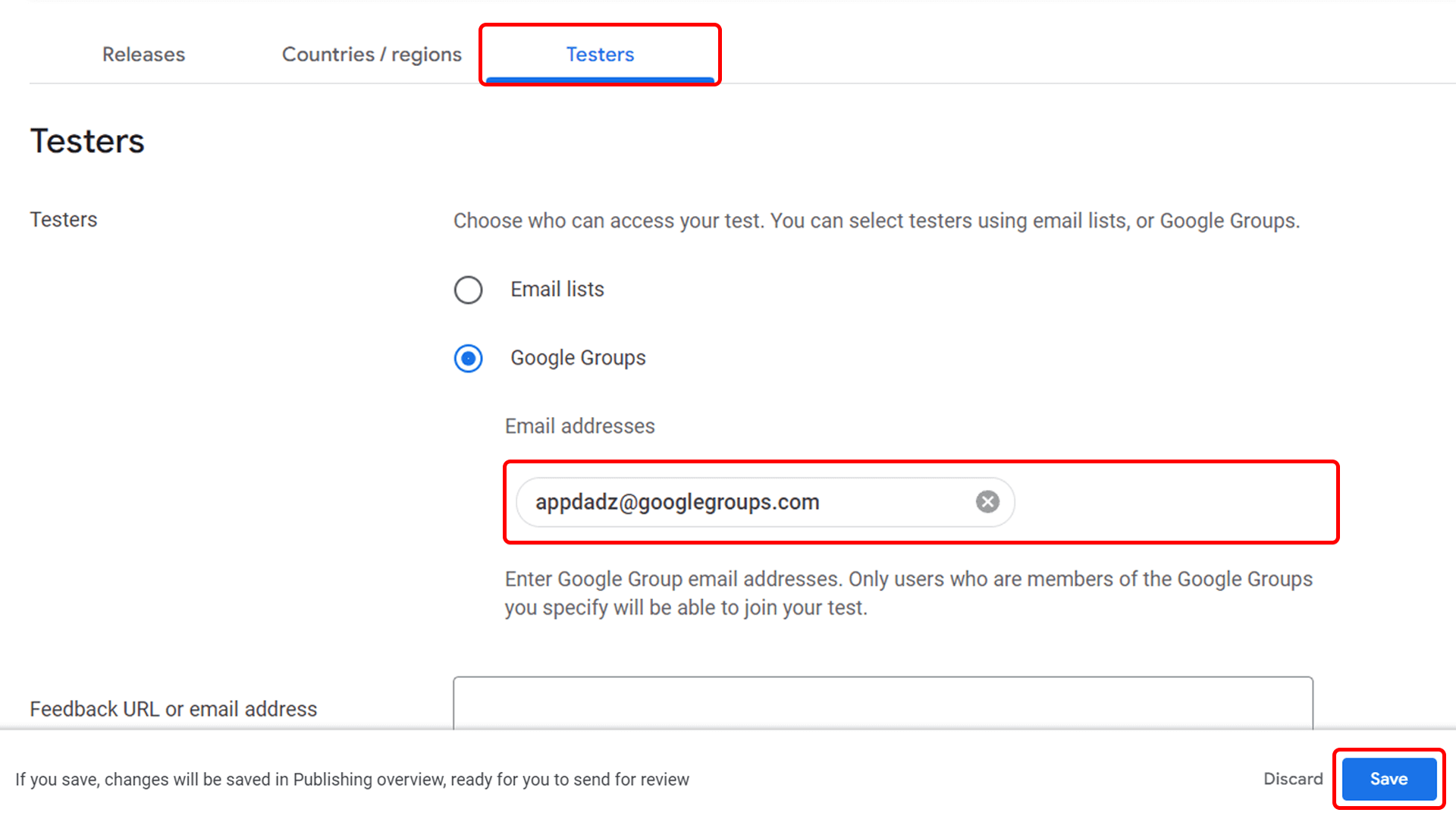
Go to Play Console -> Test and release -> Testing -> Closed testing. Open Testers, choose Google Groups, and add the address below.
available after authorization
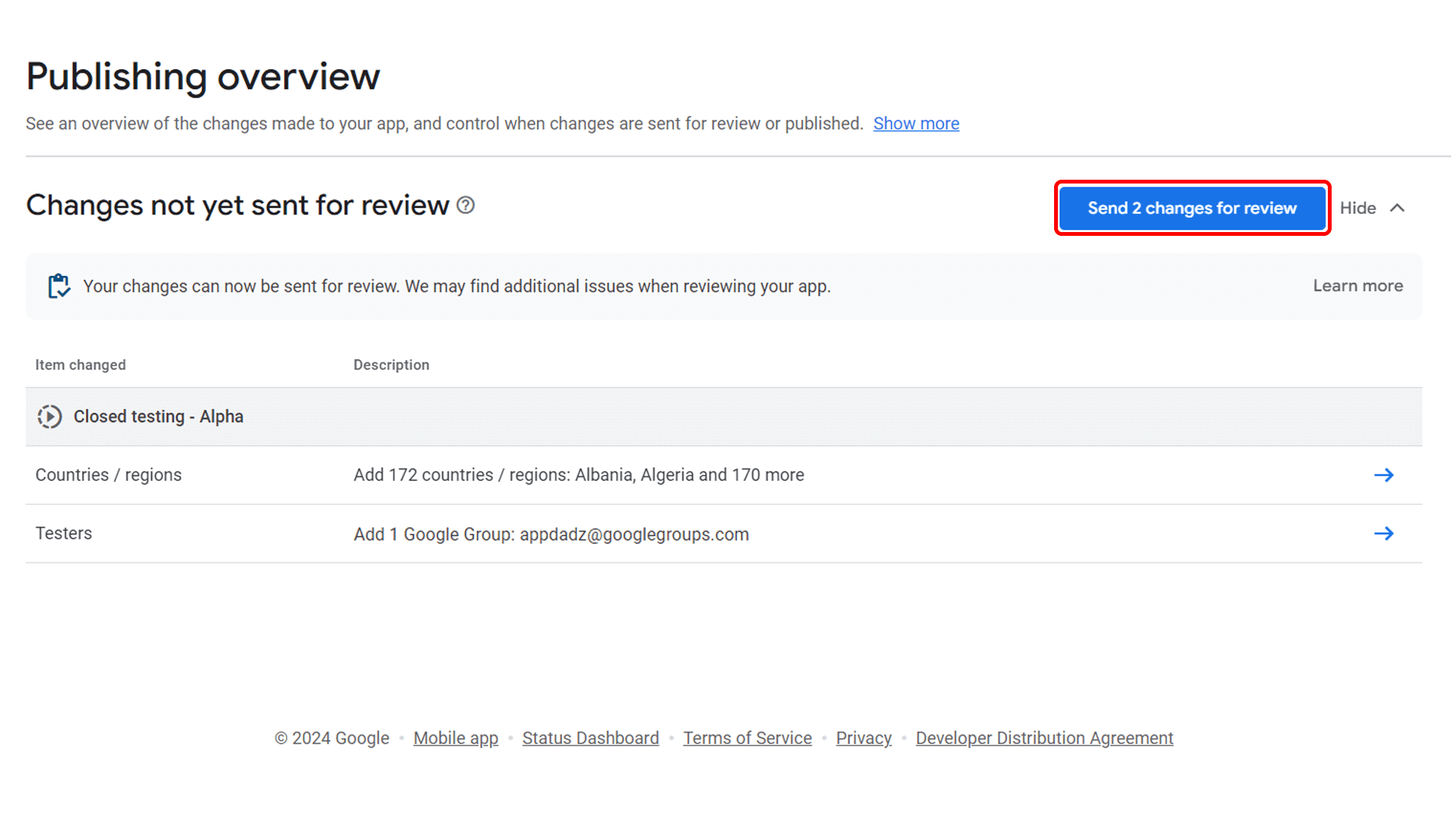
Review the pending changes and click Send changes for review. After Google approves the closed testing release, the tester opt-in link can be shared.
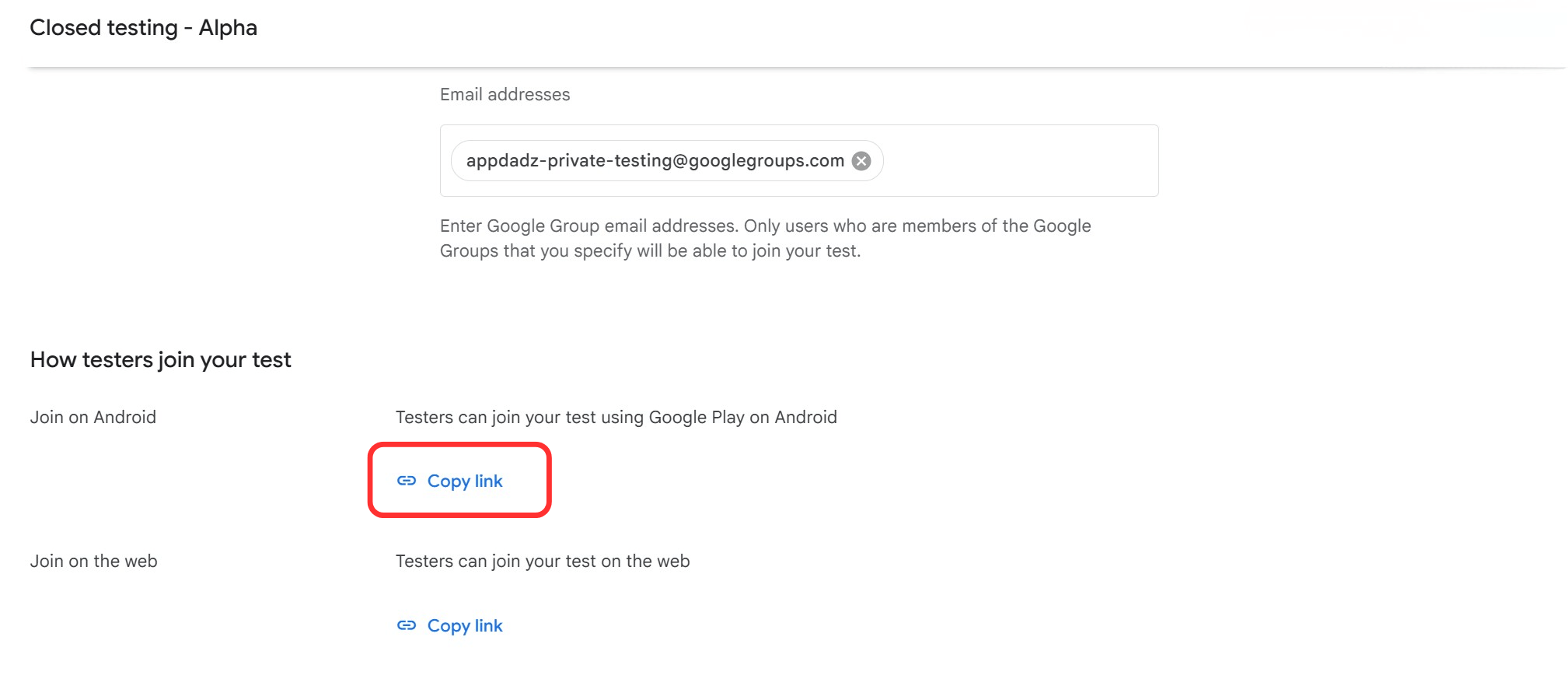
Once the closed test is approved, copy the tester opt-in URL from Play Console and submit that URL in «12testers». This is the link testers will use to join your app test.
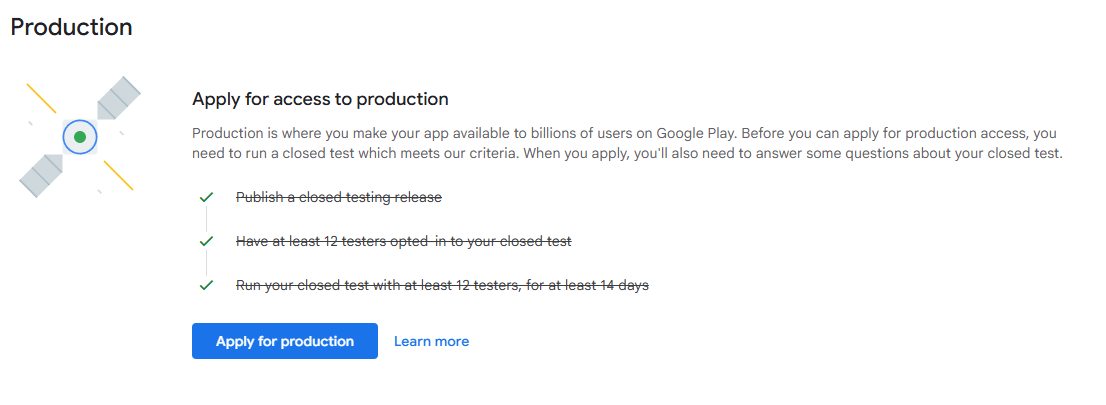
After 14 days of closed testing, Play Console should unlock the next production access step. Review the checklist and continue with the production access request.